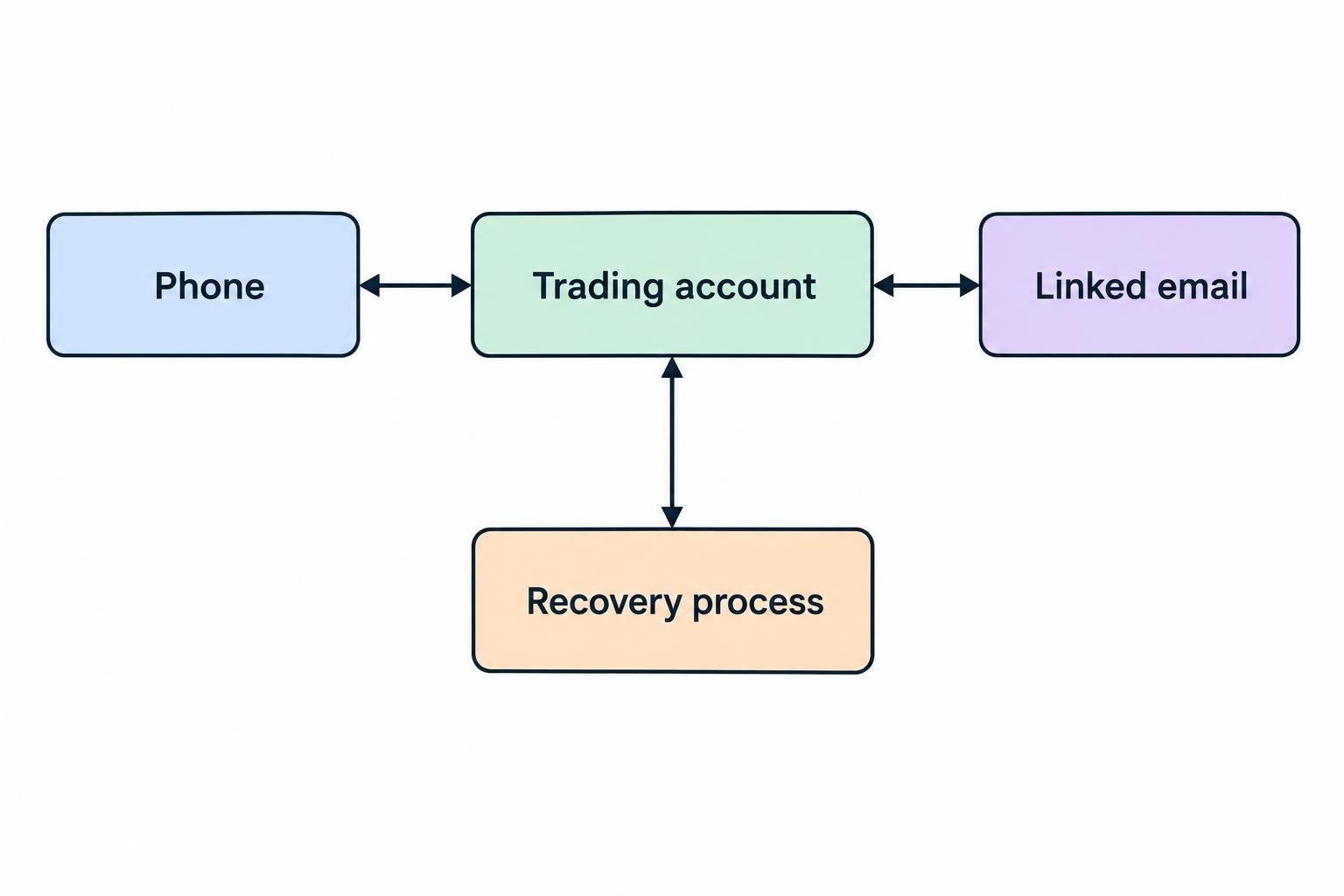
Mobile trading app security needs more than a strong login password. Treat the phone, trading account, linked email and recovery process as one security setup. Before funding an account, check how you will prevent unwanted access, spot suspicious activity and contact the provider if your phone disappears.
The aim is not to make every trade a security obstacle course. It is to put checks around sensitive actions, such as signing in on a new device, changing recovery details and moving money. Keep routine access manageable, but do not remove protections just to save a few taps.
Start With the App and Its Provider
Begin installation from the provider’s independently verified web address, then follow its official app store link. Compare the developer name and app details before downloading. Avoid installation files sent through messaging groups, advertisements or unsolicited support conversations.
Keep two questions separate: “Is this the genuine app?” and “Is this a provider I should trust with money?” Do not use a familiar logo or polished interface to answer either. Confirm the business behind the account, its contact details and its regulatory position for the service and jurisdiction involved.
Use the dedicated guide to recognising fake trading apps for checks on impersonation and suspicious download requests. Here, the focus is protecting access once you have identified the genuine service.
Before depositing, inspect the security menu. Look for account authentication, device management, login history, security notifications and withdrawal controls. Ask support about anything unclear, particularly how to disable access from a lost phone. Save the verified support details somewhere other than that phone.
Protect the Account, Not Just the Login Screen
Use separate passwords for trading and email
Give the trading account its own long, randomly generated password. Use a reputable password manager rather than trying to memorise a collection of slight variations. A password ending in “Trading1” is not much of a retirement plan for your password habits.
Apply the same discipline to the linked email account. Review its password, authentication settings and recovery contacts alongside the trading account, rather than treating email as an unrelated task. Do not keep login details in an ordinary note labelled with the provider’s name.
Choose stronger authentication where available
Enable multifactor authentication, or MFA, and examine the options rather than accepting the first one offered. Prefer phishing resistant FIDO authentication where supported. If that is unavailable, compare authenticator options; text or email codes are a fallback, not the strongest choice. CISA’s authentication guidance ranks the available methods and distinguishes security keys, authenticator apps and message based codes.
Never approve a login prompt you did not initiate. Treat an unexpected code as a reason to inspect the account through the genuine app, not an instruction to share it with whoever calls next. Read approval screens carefully, especially when they identify the action being authorised.
Also check what happens outside the mobile app. Ask whether the same protections apply to browser access and account changes. Do not judge the account’s security solely by the fingerprint prompt you see each morning.
Prepare recovery before changing phones
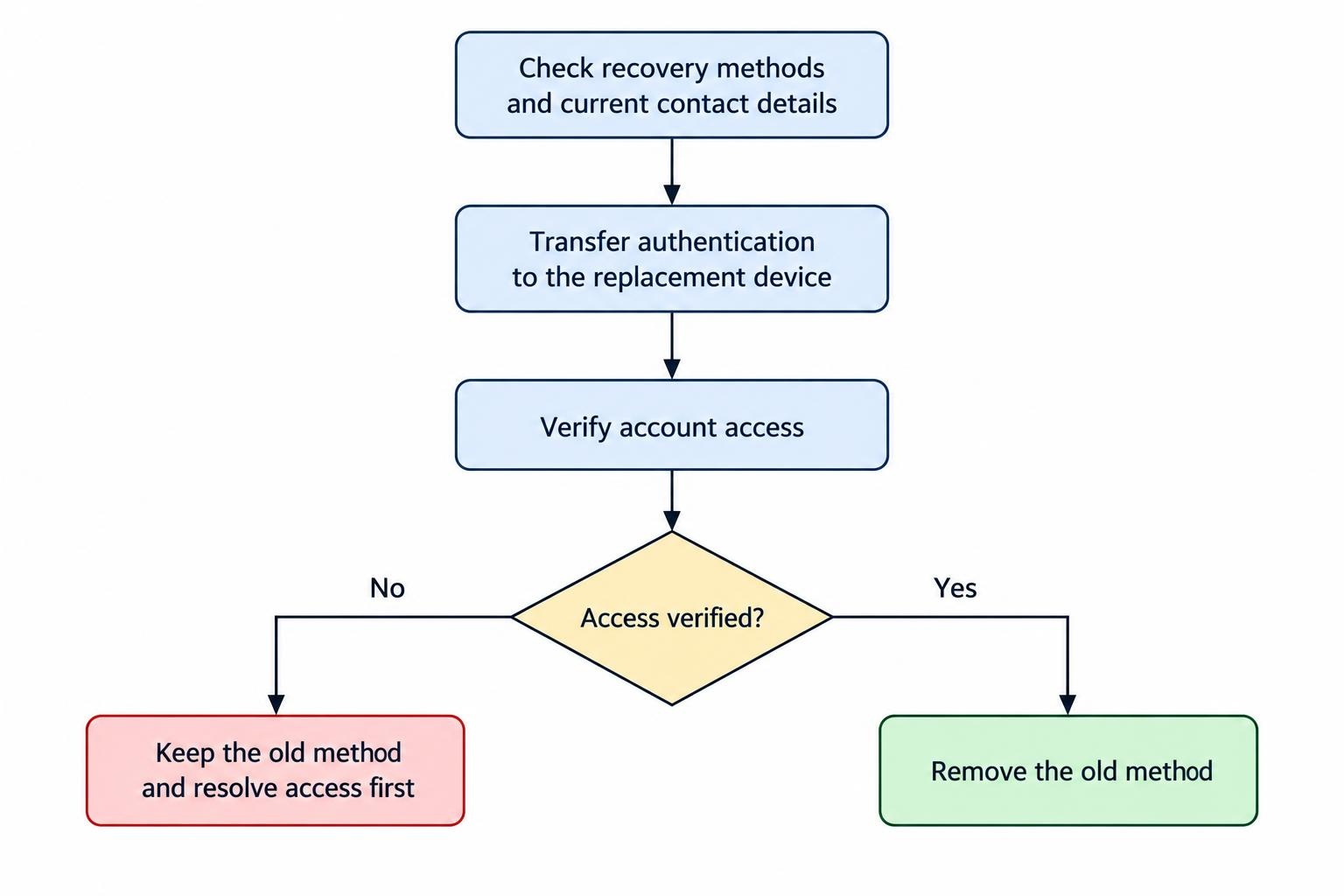
Make recovery part of the setup, not an emergency project. Record which methods are available, check that recovery contact details are current and store any backup codes somewhere protected and accessible without the trading phone.
Before replacing or resetting a device, confirm how you will transfer authentication and regain account access. Avoid removing the old method until the replacement works. The separate guide to two-factor authentication and trading account recovery covers that process in more detail.
Secure the Phone Against Loss and Theft
Use a strong device passcode, enable biometric unlocking where appropriate and choose a short automatic lock interval that you can live with. Shield the passcode when entering it in public. Do not share the device code simply because someone needs to borrow the phone briefly.
Test the trading app’s own lock behaviour with no order in progress. Lock the screen, reopen the phone and see whether the app asks you to authenticate again. Then test after a longer period of inactivity. Decide whether the result matches how and where you use the device.
iPhone theft protection
Apple’s Stolen Device Protection adds biometric requirements for certain sensitive actions and a security delay for some account or security changes. It must be enabled before the phone is lost or stolen. Apple also offers an “Always” setting for the additional requirements, rather than applying them only away from familiar locations.
Consider those settings before travelling or using the phone regularly in crowded places. Check the recovery arrangements for your Apple Account at the same time. Do not assume a phone level protection replaces the controls inside the trading account.
Android theft protection
On supported Android devices, review the available theft controls. Google’s theft protection documentation covers features including Theft Detection Lock, Remote Lock and Identity Check. Availability varies; a feature absent from the relevant settings may not be supported on your device.
Set these up while you still have the phone and can verify the required details. Keep a short written recovery plan: which account you need, where to access its device controls and how to contact the trading provider. A plan that starts with “check the missing phone” needs another draft.
Keep Permissions and Software Under Control
Review permissions individually instead of accepting every request during onboarding. Ask what feature needs the access, whether you intend to use that feature and whether a narrower permission will work. Separate permission management from authentication: allowing camera access is not a substitute for checking who operates the app.
On Pixel phones, permissions can be reviewed through Settings, Apps, the app name and Permissions. Available choices depend on the permission and software version. Google’s app permission instructions describe the controls for camera, microphone, location and other access.
| Permission request | Practical response |
|---|---|
| Camera | Confirm which verification or document feature needs it before granting access. |
| Photos or files | Choose selected items rather than broader access when the device offers that choice. |
| Microphone | Ask whether a support call or another feature requires it; decline unexplained requests. |
| Contacts or continuous location | Request a clear purpose before allowing access. |
| Notifications | Keep useful security warnings enabled while restricting sensitive lock screen previews. |
Use this table as a review framework, not a universal permission list. Requirements differ between apps and account processes. If denying access prevents a feature from working, establish why before changing the setting.
Schedule a regular maintenance check for the operating system, trading app and browser. Keep automatic updates enabled where practical, and allow time to complete required restarts. Before a planned trading session, check for pending maintenance rather than discovering it during order entry.
Use Networks Without False Reassurance
Public Wi-Fi does not automatically expose every password. Encrypted connections protect data in transit, and public networks are generally safer than older warnings suggest. However, encryption does not establish that the destination is honest: a fraudulent page can use HTTPS too. The FTC’s public Wi-Fi guidance makes that distinction.
For trading, favour a connection you recognise and can use reliably. Open the installed app directly rather than following a login link in a hotspot page. Do not install certificates, configuration profiles or extra software simply because a public network asks you to.
Keep network security and execution reliability separate in your planning. A connection choice should not become permission to rush an order. If something looks wrong, pause and verify the account state through the genuine service before taking further action.
Do not treat a VPN badge as approval of a trading platform. Continue checking the app, account and destination independently. Security tools should support those checks, not replace them.
Keep Security Alerts Separate From Market Noise
Enable the account warnings that matter: new logins, failed access attempts, password or contact changes, trades, transfers and newly linked external accounts, where offered. Availability varies by provider. The SEC’s investment account security bulletin identifies these alert categories and recommends device locking, software updates and biometric safeguards where available.
Prioritise security messages over promotional notifications. Review how they appear on the lock screen: aim to notice that something happened without displaying account details or authentication codes to anyone nearby. Check both the phone’s notification settings and the app’s preferences.
As a practical test, make a harmless change through the genuine service, such as updating an alert preference, and inspect any resulting message. Note the expected delivery channel. Do not assume every legitimate alert will look identical, but establish a baseline before an urgent message arrives.
Refuse Unsolicited Remote Support
A caller claiming to protect your trading account may instead be trying to gain access to it. Financial institutions and cryptocurrency exchanges are among the organisations impersonated in support scams. Requests for remote access, urgent payment or software installation feature in the FBI’s warning about technical support fraud.
End the unsolicited conversation and contact the provider through details you verified independently. Do not read out authentication codes, approve unfamiliar prompts or open the account during a screen sharing session with an unverified caller.
Keep the response simple: “I will contact support myself.” You do not need to debate the caller’s identity or prove that you understand security. Urgency is a reason to verify the request, not a reason to skip verification.
Respond Quickly to Suspected Compromise
Unrecognised trades, changed contact details, unexpected account notices and sudden loss of mobile service deserve prompt investigation. FINRA’s account takeover guidance identifies these warning signs and recommends contacting the financial institution immediately about unauthorised activity.
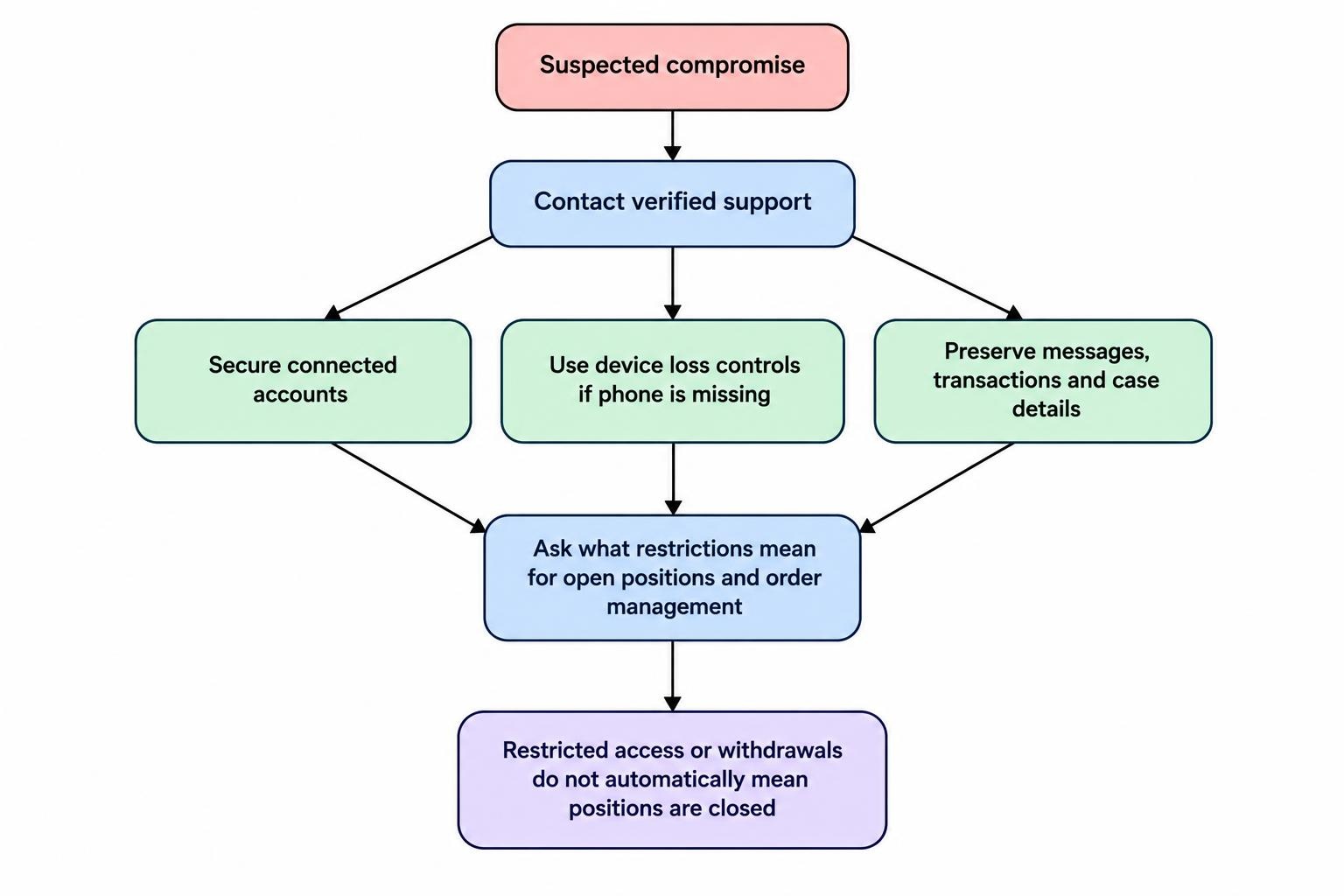
Use a separate, trusted device if you suspect the phone itself is compromised. Tell the provider what happened, whether money moved and whether open positions need attention. Ask what access restrictions and transaction controls are available; do not assume a password reset alone completes the response.
- Contact verified support. Request urgent review of suspicious access, trades or transfers.
- Secure connected accounts. Review the linked email, authentication methods, recovery details and recognised devices.
- Address a missing phone. Use the device platform’s loss controls and contact the carrier where appropriate.
- Preserve evidence. Save messages, transaction details, timestamps and support case numbers.
Keep security containment separate from trading instructions. Ask what any restriction means for open positions and order management. Record the answer rather than assuming that restricting withdrawals, blocking access and closing positions are the same action.
Make Security Part of App Selection
When reviewing mobile trading apps and devices, assess security alongside charts and order entry. Before committing funds, confirm that you can protect access, receive useful warnings, recover the account and reach verified support without relying entirely on one phone.
Repeat the check after changing devices, phone numbers or email addresses. Keep the setup practical enough to use consistently. The best security routine is one you maintain when markets are busy, not just one you complete on installation day.