A mobile day trading routine should define when you prepare, what qualifies as a trade, how you check orders and when you stop. The aim is not to keep the app open all day. It is to make decisions repeatable, even when the screen is small and distractions are close.
Separate the session into preparation, trading and review. Give each stage a clear finish point, and write down the conditions that cancel trading altogether. A working phone does not mean you are ready to trade.
This routine builds on the broader principles of day trading on mobile. The schedule below uses US stocks as an example, but you can adapt the sequence to another market. Keep that distinction clear: the routine can travel between markets; trading hours, account rules and contract details cannot.
Choose a Trading Window You Can Actually Protect
Start with your availability, not the opening bell. Choose a period when you can sit somewhere stable, read the order ticket properly and manage an unexpected problem without juggling another responsibility. Do not plan active trading around driving, walking through traffic or brief gaps between meetings.
For US stocks, the NYSE core session runs from 9:30 a.m. to 4:00 p.m. Eastern Time on a normal trading day. Check the NYSE trading hours and calendar resources before building your schedule, including holiday sessions and early closes. Use Eastern Time in your plan, with a separate local time conversion if needed.
Choose a preparation period, a trading window and a final exit deadline. For example, you might prepare from 9:00 a.m., consider new trades between 9:45 and 10:30 a.m., then reserve time to close positions and review. These are scheduling examples, not a claim that those hours produce better returns.
If your availability changes, reassess the session before placing anything. Ten uninterrupted minutes is not interchangeable with an hour of planned supervision.
Use a Simple Daily Schedule
A written schedule removes the need to decide what comes next while watching price move. Keep it short enough to read on your phone without scrolling through a small novel.
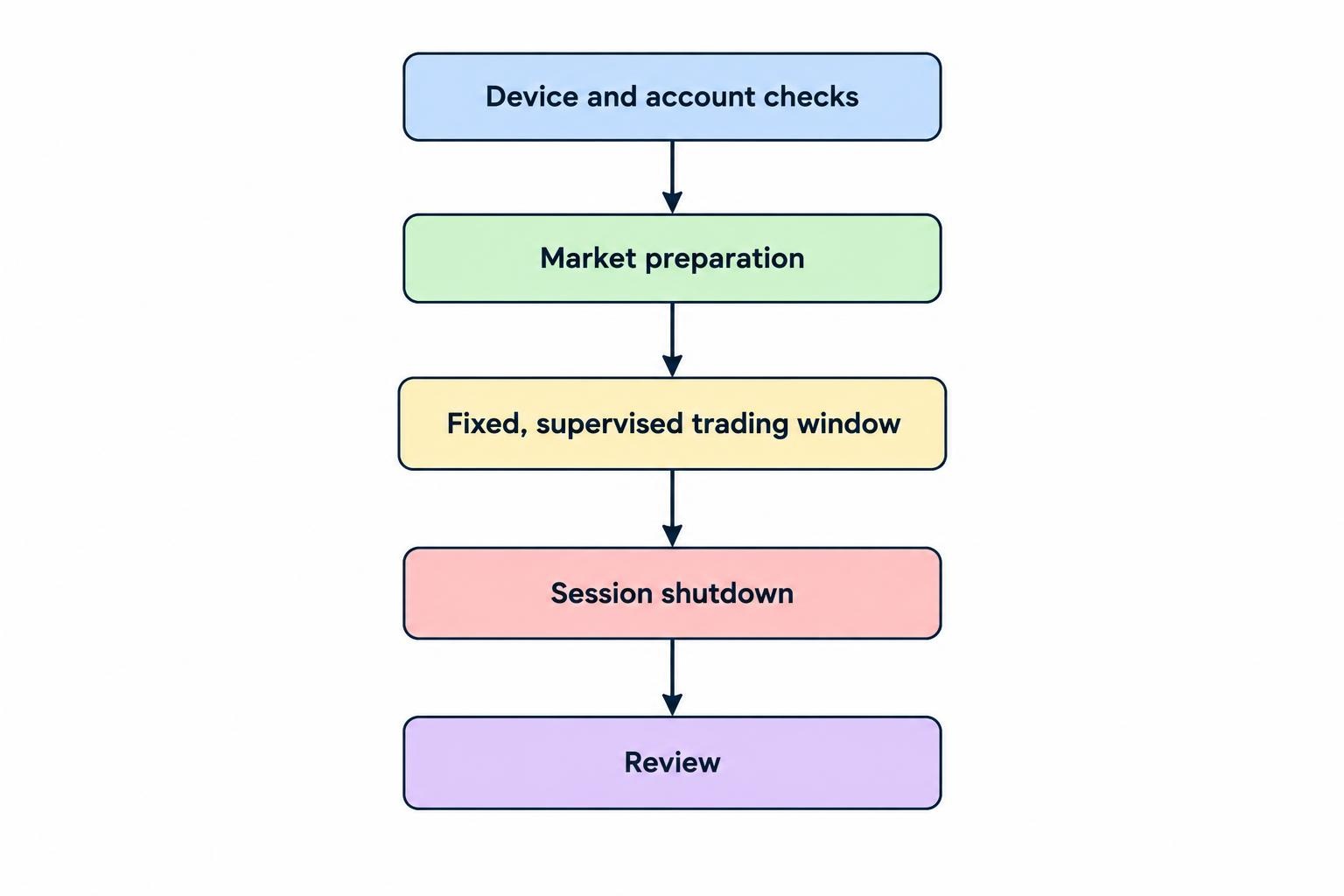
| Stage | Suggested time allocation | Required result |
|---|---|---|
| Device and account checks | 5–10 minutes | Confirm access, account status and a backup contact route. |
| Market preparation | 15–20 minutes | Create a short watchlist and written trade conditions. |
| Trading window | A fixed block you can supervise | Take only trades that meet the plan. |
| Session shutdown | Allow a buffer before your deadline | Verify positions, cancellations and outstanding orders. |
| Review | 10–15 minutes | Record results, mistakes and one improvement. |
Treat these durations as a starting template. Rehearse the sequence in a practice account and adjust the preparation time to match your actual workflow. Do not shorten order checks just because you started late.
Check the Phone and Account Before the Market
Open the app early enough to deal with login problems without rushing. Confirm that you are in the intended account, particularly if the app offers both practice and live trading. Review existing positions, working orders, available funds and any account warnings before researching new trades.
Check battery charge, power access and the connection you expect to use. Look at quote timestamps and confirm whether your market data subscription provides the data your strategy requires. A moving chart alone is not your readiness test.
Keep the broker’s official support number accessible outside the trading app. Establish how to reach your account through another supported route, where available, and keep authentication recovery arrangements secure. Do not discover your backup login is unusable during an open trade.
Make failed checks a reason to pause. Day trading carries the risk of substantial losses, and system failures can add to those risks. The FINRA day trading risk disclosure also warns against funding the activity with emergency savings or money needed for living expenses. An organised routine does not make unsuitable risk affordable.
Prepare a Short Watchlist and Written Scenarios
Start with a watchlist you can review without constant searching. Three candidates can be a workable practice constraint, though there is no magic number. Remove instruments whose contract details, price behaviour or trading conditions you do not understand.
Check scheduled economic announcements and relevant company events before the session. Record event times in the same time zone as your trading plan. Decide beforehand whether you will avoid new entries around an announcement rather than improvising when the countdown reaches zero.
For each candidate, write a brief scenario covering the entry condition, the price that invalidates the idea and the intended exit approach. Include a reason to skip it. “Buy if it looks strong” leaves too much room for negotiation with yourself.
A hypothetical stock plan might read: “Consider a long trade only after price breaks the marked level and meets the confirmation rule. Skip if the spread exceeds my threshold or price moves beyond my acceptable entry range.” Define those thresholds before trading; do not treat this example as a tested strategy.
Use the same chart layout and timeframes throughout preparation. If you cannot explain the trade without repeatedly changing indicators, leave it off the active list.
Set Risk Boundaries Before Opening an Order Ticket
Write down your planned risk per trade, total permitted exposure and daily stopping threshold before the first entry. Available buying power is not a spending target. Decide what you are prepared to risk independently of what the account allows you to purchase.
Include both realised losses and the remaining exposure on open positions when assessing the day. A rule that ignores open risk leaves an obvious hole. Also decide whether fees count within your daily threshold and how you will treat an execution loss larger than planned.
The detailed calculation belongs in your daily loss limit rules. Within the routine, the job is simpler: check the remaining allowance before each trade and stop opening positions when the rule requires it.
Add operational stopping conditions too. Examples include repeated entry errors, uncertain order status, a connection problem or an interruption that prevents supervision. These are process failures, not challenges to trade through.
A trade count ceiling can help you enforce a boundary, but it is never a quota. If the plan permits up to three trades, zero remains a valid result.
Follow the Same Order Check Every Time
Before submitting an order, pause long enough to read the whole ticket. Keep this check consistent, even when the setup looks familiar:
- Confirm the account, instrument and buy or sell direction.
- Check quantity, order type, price fields and trading session.
- Confirm the intended protective exit and order duration.
- Recheck that the trade still meets the written entry conditions.
- After submission, inspect order status and actual filled quantity.
Separate the decision to enter from the mechanics of placing the order. Do not change quantity casually inside the ticket because the trade suddenly feels more convincing.
Know what the chosen order can and cannot control. A market order does not guarantee its execution price; a limit order sets a price boundary but may remain unfilled. A standard stock stop order becomes a market order once triggered, so the stop price is not a guaranteed exit price. Review the SEC investor guidance on order types before relying on these instructions.
Check how your app handles attached exits, partial fills and changes to position size. Rehearse those actions before using them live. An exit plan written in your notes is not the same as an accepted protective order.
Manage the Trade Without Rewriting the Plan
Once filled, compare the actual position with the intended one. Confirm size, entry price and any accepted exit orders. If only part of the entry filled, inspect both the position and the unfilled remainder before taking another action.
Then return to your written management rules. Decide in advance what permits a stop adjustment, partial exit or early closure. Do not widen a stop simply to postpone accepting that the trade failed.
Use alerts as prompts to inspect the account, not as proof that an order executed. When an alert arrives, check the current position and order records rather than acting from the notification alone.
If the setup has already moved beyond your permitted entry, let it go. The separate guide to avoiding late mobile day trading entries covers that decision in more detail. Your daily routine should require a fresh check, not an automatic purchase because an alert sounded persuasive.
Schedule breaks between trades when you have no exposure or working entry orders. If you must leave unexpectedly, follow your interruption plan rather than assuming you will be back before anything happens.
Have a Fixed Response to Uncertain Order Status
A slow response after tapping submit needs a verification process. Do not immediately tap again. First inspect order history, working orders and positions through the broker’s supported account tools.
Order execution takes time, and the market price can change between submission and execution. The SEC explanation of trade execution makes clear that online trading is not an instantaneous connection to the market. Build that distinction into your routine: submitted, accepted and filled are different states.
If you cannot establish what happened, stop new trading and use your backup access or official support route. Record the order identifier and time when available. Do not send an opposite order blindly to “undo” a trade whose filled quantity you have not confirmed.
Prepare for this before the session using a written plan for a trading app disconnection with open positions. Keep the daily version brief: verify exposure, establish order status and avoid adding uncertainty.
Close the Session Deliberately
Set a last entry time earlier than your final exit deadline. Leave enough room to manage a trade without turning the end of the session into a race. Decide that buffer during preparation, not after taking an awkward late position.
When the trading window ends, reconcile the account. Check that intended exits filled, unwanted entry orders were cancelled and cancellation requests were acknowledged. If the plan requires you to finish flat, verify both zero position size and no remaining working orders.
Do not rely only on the chart or a profit and loss display. Inspect the position and order records. Save the relevant trade details before closing the app, then stop scanning for another opportunity.
A profitable morning does not buy an exemption from the shutdown rule. Neither does a losing one.
Review the Process, Then Change One Thing
Record the planned entry, actual fills, exit, costs and result. Add whether you followed the setup, risk and timing rules. Note device problems separately from strategy decisions so you do not blame a weak entry on the phone.
A short screenshot and a few sentences are enough if they let you reconstruct the decision later. Use a consistent format when keeping a trading journal on your phone, rather than recording only unusually good or bad trades.
At the weekly review, look for repeated process failures: skipped checks, entries outside the window, unnecessary order changes or sessions started without preparation. Compare results after costs, but do not treat one profitable rule breach as evidence that the rule should disappear.
Choose one change for the next week and rehearse it. That might mean fewer watchlist candidates, a longer shutdown buffer or a clearer no trade condition. Keep the routine stable enough to evaluate. The useful result is a record of decisions you can inspect, not simply more time spent tapping a screen.